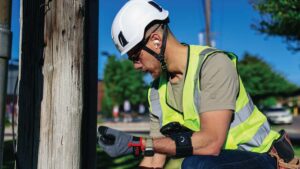
Fulcrum’s construction equipment inspection app helps teams perform and manage inspections directly from mobile devices. Teams use it to complete customized inspection forms, track preventive maintenance, and document issues with GPS-tagged photos, video, and structured data. Every inspection syncs to the cloud, but the app also works fully offline for remote sites.
This is equipment checklist software designed for safety supervisors, field engineers, fleet managers, and anyone responsible for keeping machines moving and compliant.
Use Fulcrum to build inspection checklists that match your equipment and your process. Capture heavy equipment inspections using forms that include dropdowns, text fields, and media capture. Add photo and video evidence. Tag each inspection with GPS coordinates to enhance traceability. Assign tasks or schedule repairs directly through work order tools.
With Fulcrum, your team can:
Create custom inspection forms for any kind of heavy equipment
Record inspections using mobile devices with offline capability
Generate inspection reports instantly with location and media attached
Streamline repairs by linking inspections to work orders
Use AI field data tools to accelerate entry and improve accuracy
Assign tasks and escalations through built-in process management
Track inspections with full geospatial capabilities for site validation
Support audit readiness with built-in security and compliance features
Whether you’re managing fleet inspections, jobsite safety, or equipment maintenance schedules, Fulcrum provides the tools to do it fast and do it right.
Fulcrum supports preventive maintenance workflows and recurring inspections. The app helps teams reduce downtime and catch issues before they cause failures. Use geotagged records to verify inspection locations and monitor trends across equipment types or job sites.
Every inspection feeds into structured data that strengthens maintenance planning, improves accountability, and supports long-term equipment reliability.
Fulcrum is free to try and simple to set up. Start building your inspection checklist, capturing accurate field data, and managing heavy equipment inspections with clarity and control.
What does Fulcrum do?
Fulcrum is the Field Operations Management platform field organizations use to run, record, and close out their work. Electric, gas, water, and wastewater utilities and the engineering, construction, and inspection firms that serve them run asset management, vegetation management, linear construction, and emergency response and disaster recovery on Fulcrum, capturing an AI-ready record of every job.
Is Fulcrum SaaS or on-premises?
Fulcrum is strictly a Software-as-a-Service FieldTech product. Fulcrum’s SaaS implementation is hosted on AWS and we are SOC 2 Type II certified.
How is Field Operations Management different from Field Service Management?
FSM software supports the customer-facing side of a business with tools for dispatching, scheduling, and routing service calls. FOM supports organizations that build, inspect, and maintain their own infrastructure across asset management, vegetation management, linear construction, and disaster recovery. Fulcrum is the FOM platform for the field teams and contractors who keep that infrastructure running.
Do I need to be a coder to build Fulcrum apps?
Fulcrum’s drag-and-drop app builder lets anyone on your team create a working app with no coding experience. Fulcrum’s AI tools can also turn a plain-language description of your workflow into a working app. Either way, every app automatically includes offline capture and sync, native GIS, and enterprise security.
What if my team needs help building or managing Fulcrum apps?
Fulcrum’s professional services team can build your apps, train your team to run Fulcrum independently, or both. Teams that want ongoing support can hand app management to Fulcrum’s managed services.
How real time is Fulcrum?
Fulcrum provides automatic synchronization to share records between the mobile device and server. In real time, this syncing occurs within seconds to a couple of minutes as long as there’s an internet connection.
Does Fulcrum work with Esri ArcGIS?
Fulcrum integrates with Esri ArcGIS and ArcGIS Online, and offline basemaps and layers are included. Non-GIS information stays isolated from your GIS without requiring related tables, so operations teams can build and maintain apps without GIS or enterprise team support.
Can Fulcrum connect to my sub-meter Bluetooth GPS unit?
Fulcrum uses your mobile device’s GPS by default. Connecting a Bluetooth GNSS receiver replaces the device coordinates with the receiver’s, which is how teams reach sub-meter accuracy for asset and boundary capture.
Will Fulcrum do a proof of concept or pilot?
Fulcrum will do proof of concept or pilots. Contact us to set up a custom plan to get started.
Does Fulcrum work completely offline?
Fulcrum is built to function without an internet connection. When you reconnect to the internet, it will automatically sync your records and update the mobile app with new data from the server.